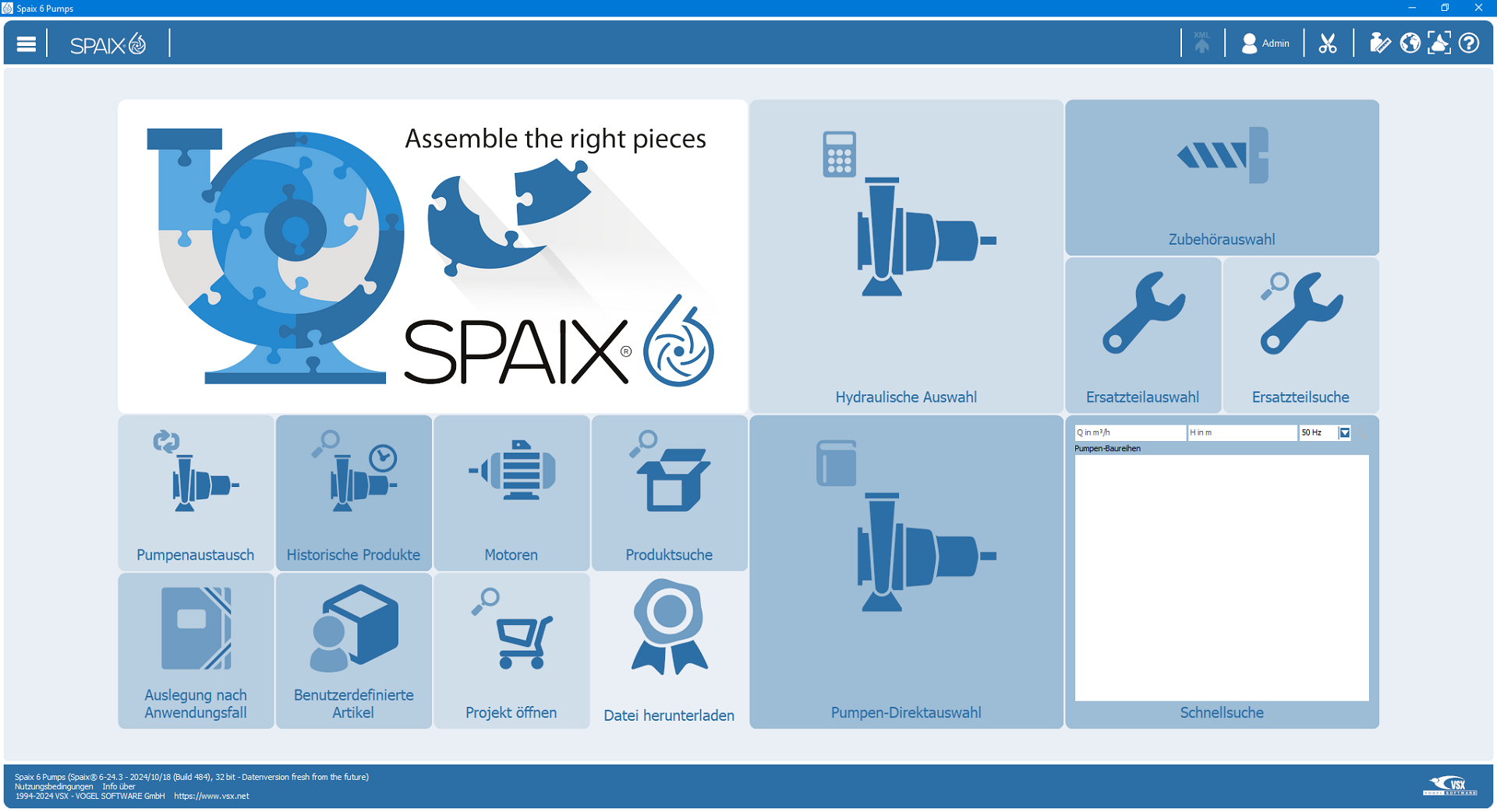
The selection program's start window consists of a customized collection of tiles (tile scheme).
Depending on the definition of the tiles, information is displayed or functions are performed on them.
Tiles for selecting pumps are provided as standard:
□Hydraulic selection
□Pumpen Direktauswahl
□Quick search
Tiles can be configured so that only registered users can see or use them; this applies in particular to the tile for opening projects:
□Open project
Depending on the configuration and license scope, additional tiles may be available for different selection methods:
□Pump exchange
□Product search
□Accessories selection
□Spare parts selection
□Spare part search
□User defined articles
□Motors
□Historic products
□Search or browse by application
Tiles can also contain information and links:
□Pictures / Logos
□Newsfeed
□Hyperlinks / Email-Links
□Downloads
|
Tile schemes can be configured so that all users of a team are shown a specific tile scheme. If you are missing tiles with a specific function, please check whether you are logged in correctly as a registered user and whether your team membership corresponds to the expected one. |
